This project was a web-based gaming application developed at Sky Cover Technology Limited. I was responsible for managing the project from concept to final delivery, understanding iOS and Android motion behaviors, working closely with the client, developers, and internal teams to design an engaging and intuitive game interface.
GOAL
The goal of the project was to create a visually appealing and interactive gaming experience while ensuring that players could easily understand the game state and make decisions quickly during gameplay.
KEY SKILLS DEMONSTRATED
Client Collaboration
Game structure and interaction design
User flow planning
Real-time Interface UX
Visual UI design and animation elements
User testing and QA validation
THE CHALLENGE
Designing interfaces for real-time gaming environments presents unique UX challenges. Players need to quickly understand the game state, available actions, and results of their decisions without confusion.
Key challenges included:
Designing an interface that supports quick decision-making
Creating a clear visual hierarchy within a busy game environment
Ensuring players always understand what action to take next
Balancing engaging visuals with functional clarity
Aligning the visual style with the client’s target market positioning
Another major challenge was coordinating with both the client and the development team to translate gameplay ideas into functional interface solutions.
Research & Concept Development
To begin the project, I worked with the client to understand their vision, business goals, and the overall concept of the game.
I conducted reference research on similar gaming interfaces and interaction patterns to identify effective ways to present game information and actions. This research helped define the overall visual direction and gameplay structure.
Based on the insights gathered, we established the game concept, interaction flow, and visual style that would best support the user experience.
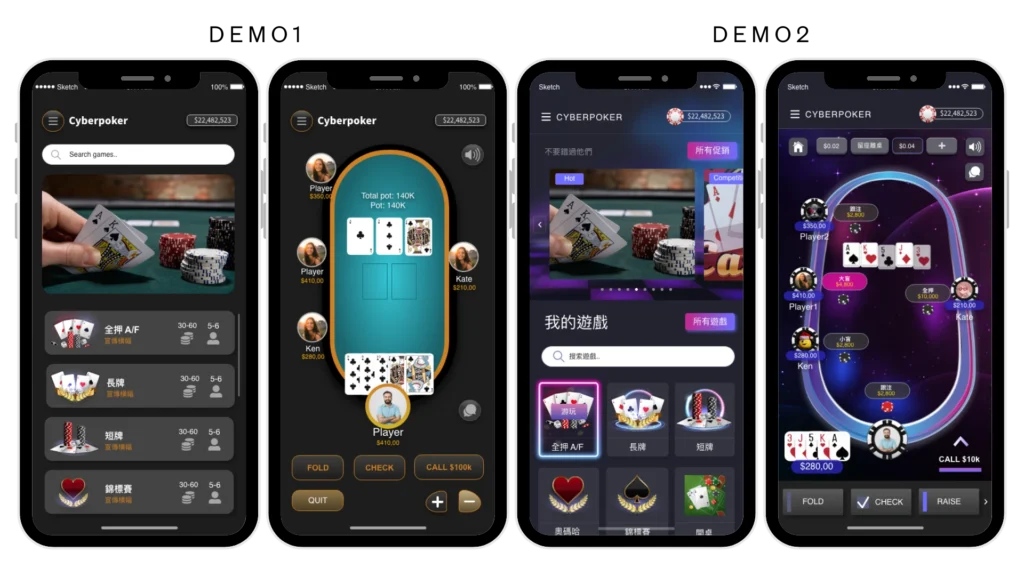
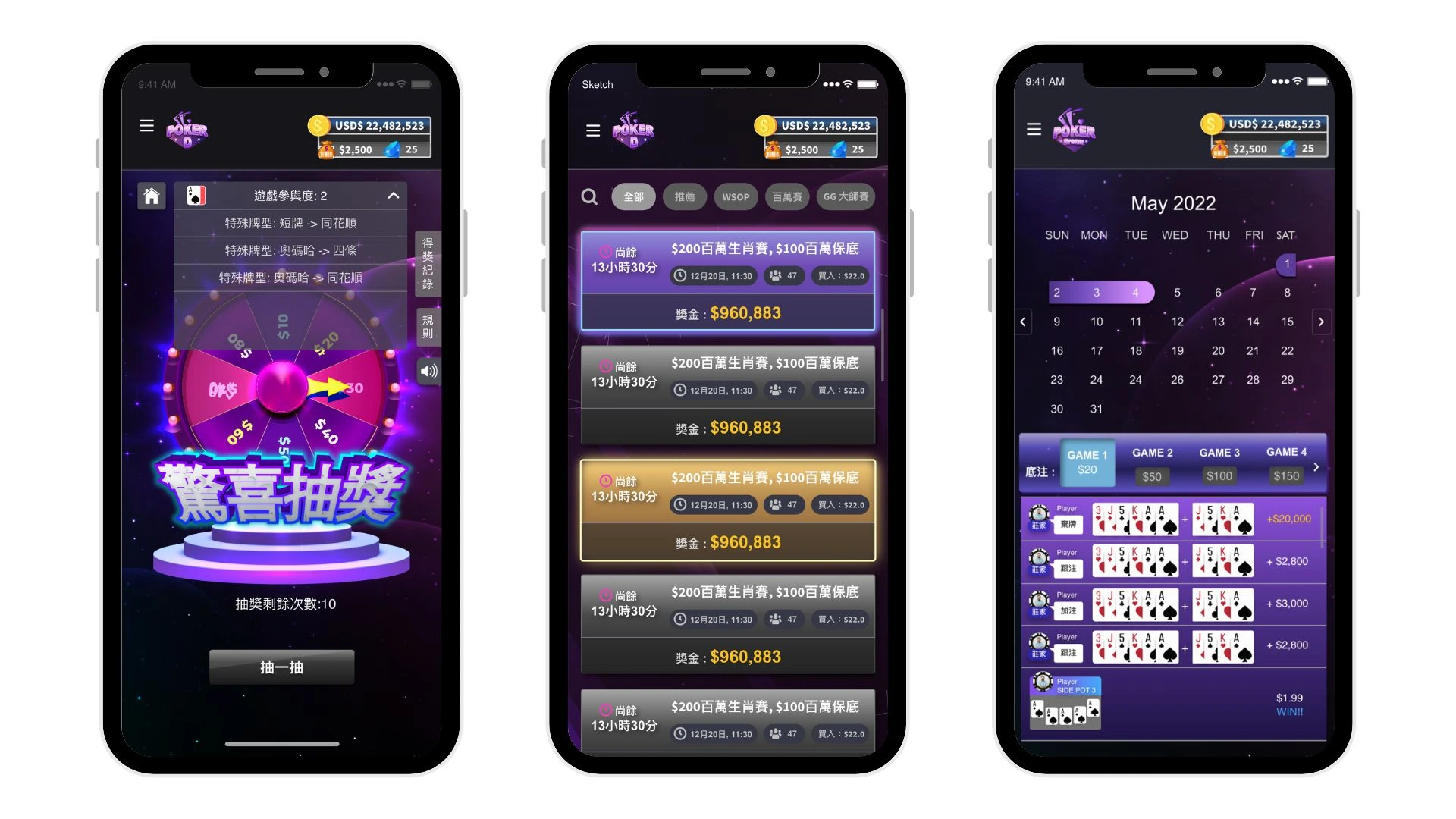
I provided two styles of UI demos for the client to choose from. The brand strategy’s attributes were professional and fancy, so we decided to use Demo2 (purple one).
Style Selection
User Flow & Interface Design
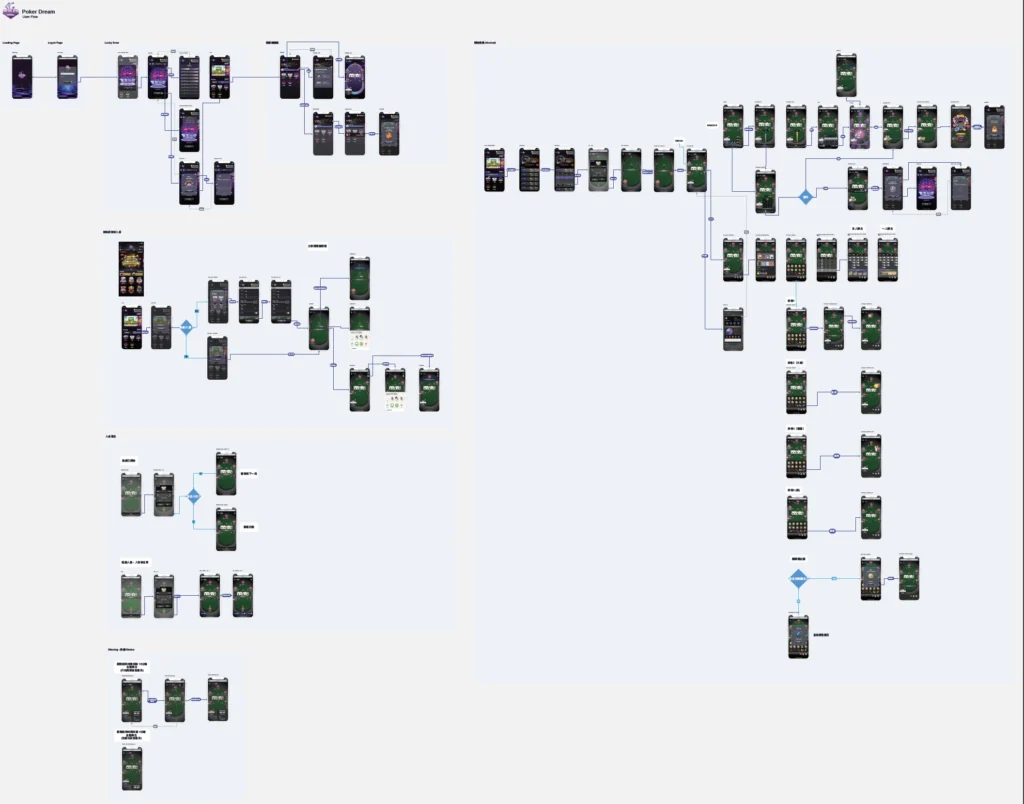
I designed the user flow based on the game structure to guide players through each stage of gameplay.
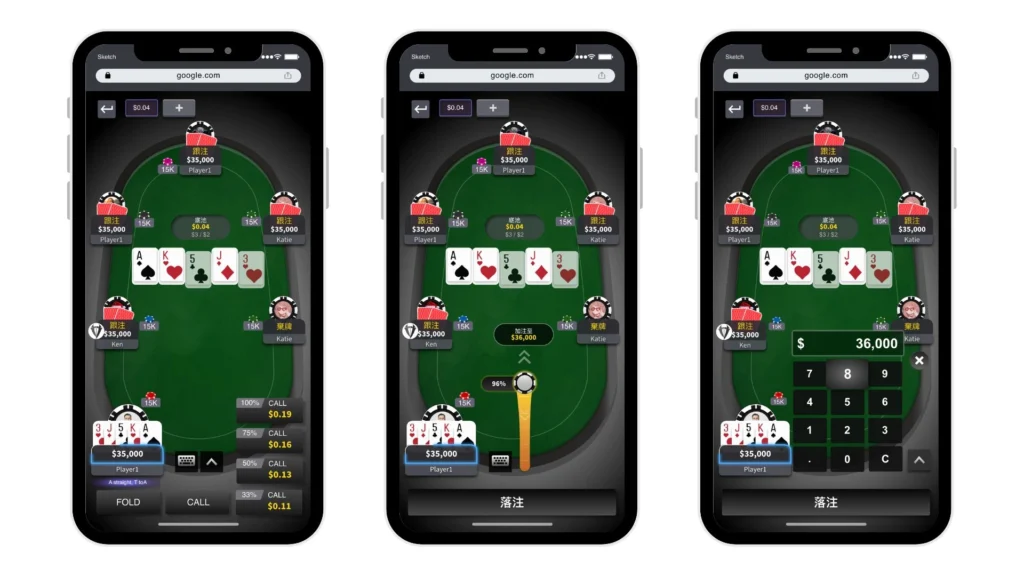
Shortcut action buttons appear when players need to make decisions, helping reduce cognitive load and enabling faster interaction.
Key interface elements included:
Game room layout
Decision action buttons
Status indicators
Emoji interaction elements
Interface & Visual Design
Tools
After finalizing the interaction structure, I moved into visual design.
Key interface elements included:
Game room layout with clear action areas
Interactive decision buttons
Status indicators and player feedback components
Emoji reactions for player interaction
Visual highlights for key game events
The design focused on creating a visually engaging environment while maintaining clear usability and readability.
Game Room
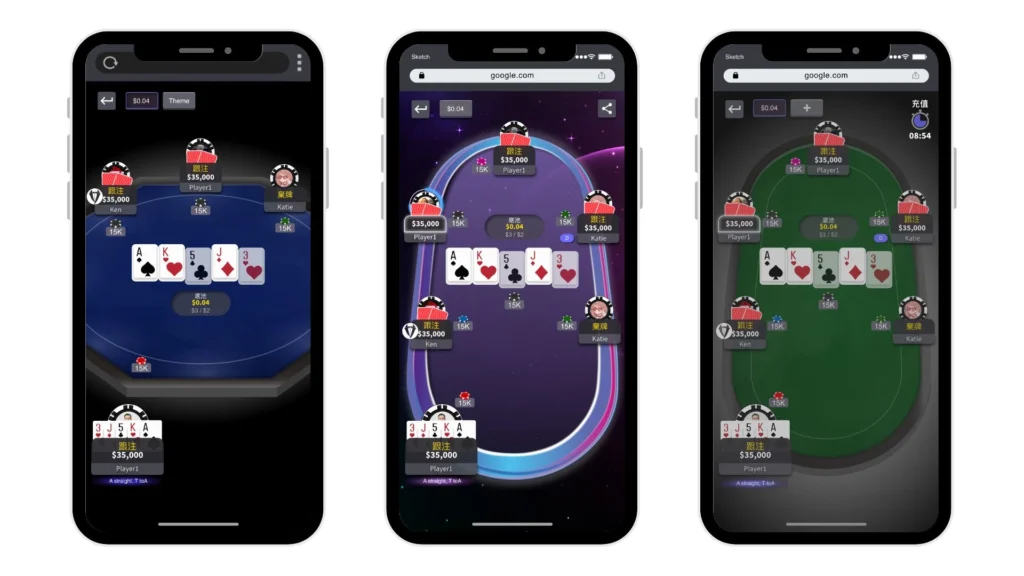
Based on client feedback, they preferred a more realistic table environment. I refined the colour tone to reflect a real gaming table better, while keeping the purple theme for the special game room.
Custom table styles for special game rooms
Contextual betting decision buttons appear when it is the player’s turn
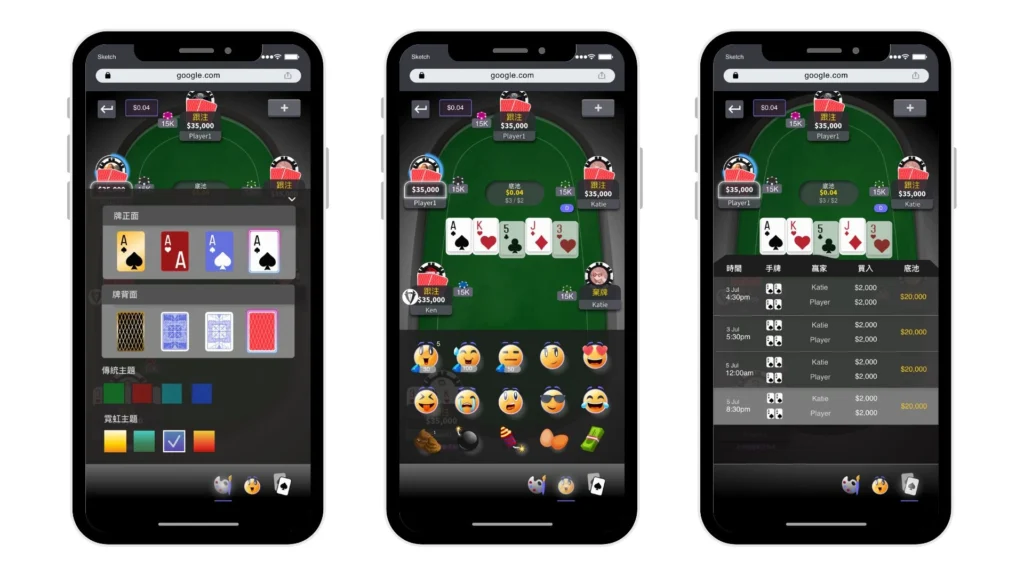
•Emoji reactions to support player interaction
•Card table theme customization
•Player history records and tracking
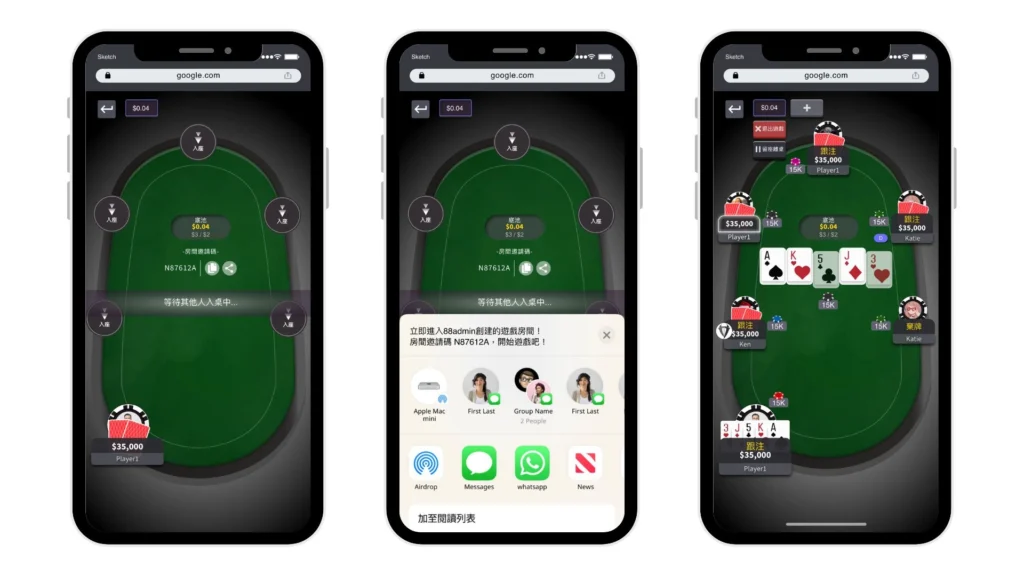
•Waiting room before gameplay
•Shareable room link for inviting players
•Quit game functionality
Motion and Feedback
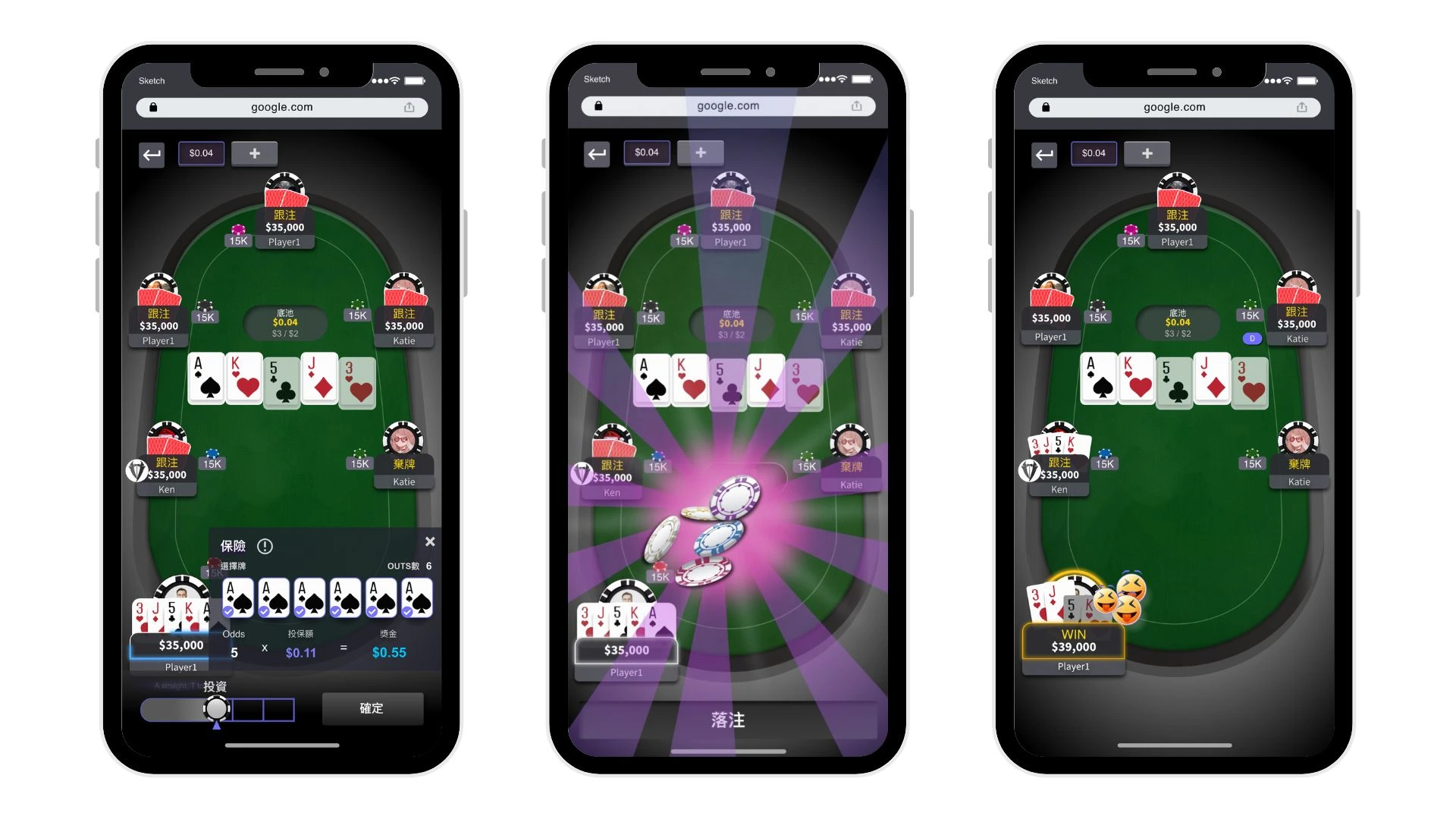
Animations were designed to enhance player feedback and create a dynamic experience on iOS and Android devices.
Examples include:
Lucky draw animation
Coin flowing effects
Winner celebration animation
Real-time ranking feedback
These motion elements helped reinforce game outcomes and make the experience more immersive.
Demo Animation Effect – Good Card
Demo Animation Effect – Coin Flip When All-in
Demo Animation Effect – Lucky Draw
Demo Animation Effect – Big Win
QA Testing & Iteration
What I learned
Throughout the development process, I collaborated closely with developers to address functional challenges and ensure the interface worked smoothly within the technical constraints.
Multiple rounds of user testing were conducted to evaluate usability and gameplay clarity. At the final stage, I also carried out QA testing to ensure the interactions, animations, and game functions performed as expected.
Outcome
Impact
The final design delivered a clear and engaging gaming interface that supported real-time decision making and player interaction.
Through close collaboration with the client and development team, the project successfully translated complex gameplay mechanics into an intuitive and visually engaging user experience.